Friday, October 29, 2021

Error When Trying To Logging Remote Support Platform (RSP)-Agent Console Already Started


Error:
Solution:

When you try to login to Remote Support Platform(RSP) the pop-up message ”Agent console already started” appeared.  You need to logout first the windows account user and try to login again.


If issue still remain, please help to restart the Windows server.


Monday, October 25, 2021

Inventory OB with multiple Batch or Serial Number using DTW

Step 1:  Open inventory OB Lines Template  


Noted: make sure Line Number start from 1


Step 2: Open Inventory OB  Batch Template


Sunday, October 3, 2021

Transfer Installation Files from Window Instance to SUSE Linux Instance

  • First login to the SUSE server using root user and its credential. 
  • After login check the partition whether it's correct and have enough space.

  • Before doing anything ensure all this in check.


  • First create the folder software using command mkdir


  • Install WinSCP to transfer installation files from windows instances to SLES instance. Then login as root and transfer the installer.


  • Use command chmod -R 777 to give the access permission to the folder and subfolder.


Tuesday, September 28, 2021

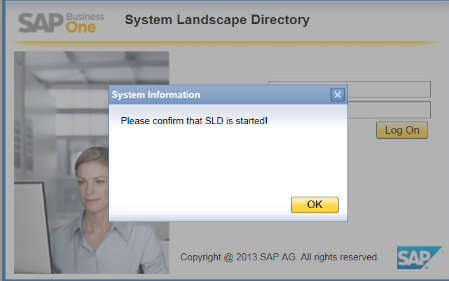
Services error and not running . Can't restart SLD or server tools

 ERROR:

SAP HANA System is not responding or services is not running.

If SLD can't access or HANA Studio status in RED, you need to run this command in SUSE Linux terminal;

1)  su - hdbadm
2) To stop HANA Database Engine service
    ./HDB stop
3) Wait until service stopped and run below command to start HANA Database Engine service
    ./HDB start
4)  Wait until service fully started
    exit
5) Return to root. Run below command to restart SLD services
    /etc/init.d/sapb1servertools restart
6)Wait until service fully restarted.

optional:
7) To restart service layer services
   /etc/init.d/b1s restart

8) SAP B1 HANA 2208 (Authentication Server required)
   service sapb1servertools-authentication restart

9) web Client 
     Goto /usr/sap/SAPBusinessOne/WebClient
     Type the below Commond
   
     ./startup.sh stop
     ./startup.sh start


    ./startup.sh restart


useful SUSE Linux command


1. How to check the version of SUSE  and Status

SUSEConnect --status-text


2.Make a directory(Folder) 
    =>mkdir testabc

 3.Listing Directory
     =>ls

4.Delete direcotory
   =>rmdir testabc

5.Navigate to folder
   =>cd testabc     =>cd ..           =>cd  \     navigate to root directory

--------------------------------------------------------------------------------------------

6.copy files to same directory
   =>testabc# cp testfile testfilecopy 

7.copy files to another directory
   =>cp testfile /home/software

8.pwd (print view directory)


The security certificate is not from a trusted certifying authority. SAP Business One is unable to connect to server

ERROR:


SOLUTION:

If certificate issues need to do the following:

1.     Delete existing certificate in Control Panel > Internet Option - under certificates tab

If there is no existing certificate, you can just ignore this one. If there is existing certificate you can delete it.

2.     Turnoff Anti-Virus / Firewall

3.     Go to C:\Users\USERNAME\AppData > Go to Local & Roaming and delete the SAP folder

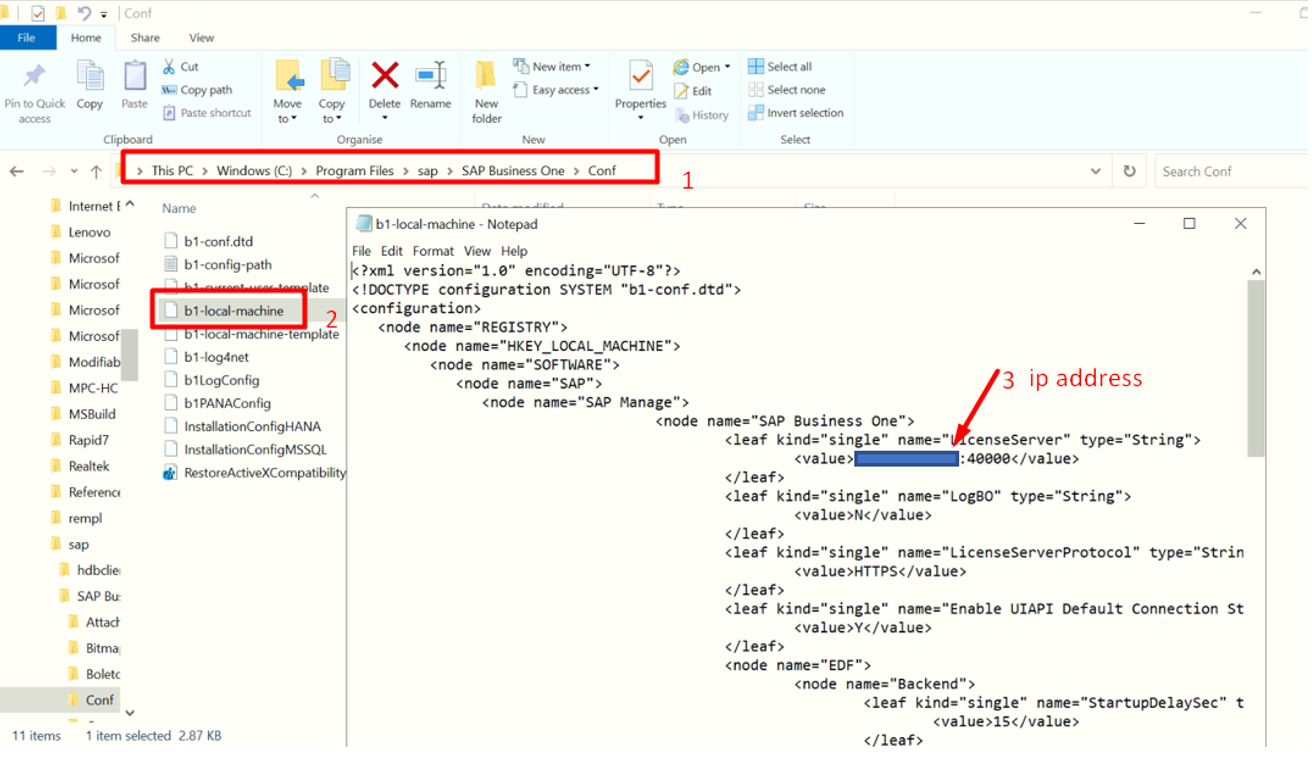
4.     Edit the Conf file based on screenshot and change the localhost same as SLD (IP Address of the Server)

5.     Right click the SAP and run as Administrator


Monday, September 27, 2021

SAP HANA installation error Import of delivery units failed Cannot import delivery unit /hana/shared/HDB/global/hdb/auto_content/HANA_XS_BASE.tgz

 Error:


Solution:

try to run the the installation using the below command   

./hdblcm --action=install --hdbinst_server_import_content=off

or

./hdblcmgui --action=install --hdbinst_server_import_content=off


2315907 - Starting HANA automatically after Host has been started

  Symptom By default the SAP HANA database is configured so that it is not started automatically when the SAP HANA host is rebooted. Environ...